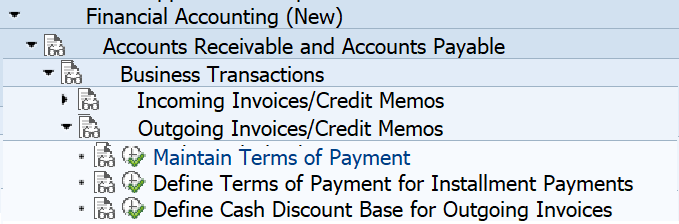
Terms of payment are conditions agreed with customers or vendors for the payment of invoices. They are defined in customizing:
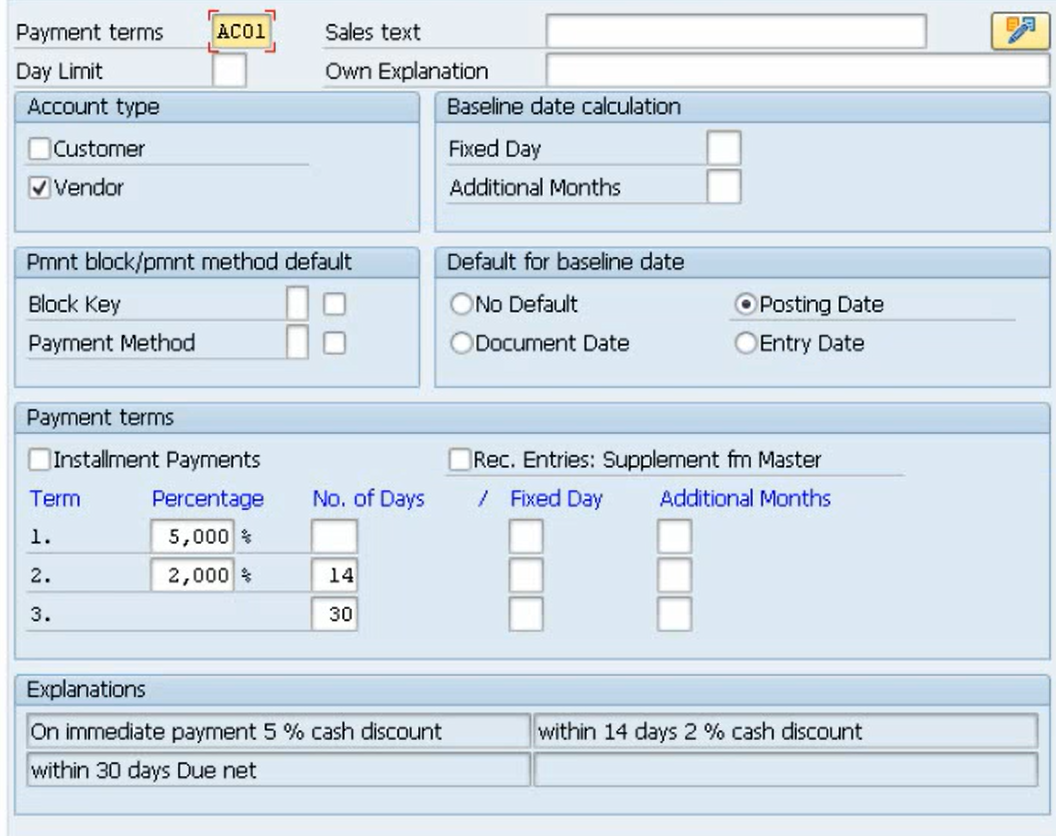
This is the screen of the payment terms:
1. Basic data #
In the basic data you set the day limit, the description and the account type for which the payment term can be used.
The day limit is the day of the baseline date up to which this record/version of the payment term applies. Let the day limit blank when the payment term keeps the same regardless the date.
Explanations are created automatically and can be overwritten.
2. Baseline date and due date calculation #
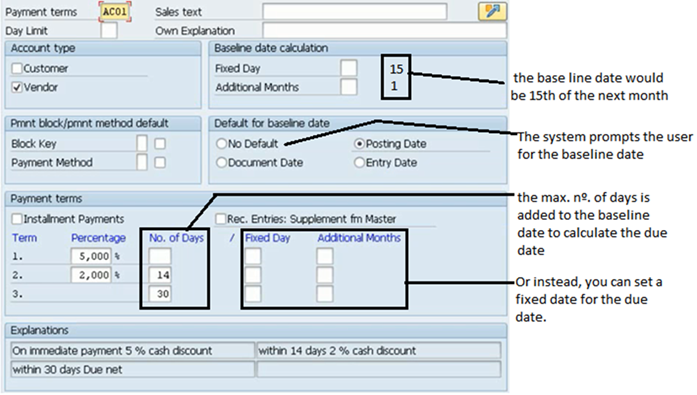
Firstly, the baseline date is assigned a default date (posting, document, entry date, or prompting the user).
With that default baseline date, the proper record of the terms of payment is selected according to the “Day Limit” field.
Then, the baseline date is overwritten according to the fields “fixed day” or “additional months”, if they have a value.
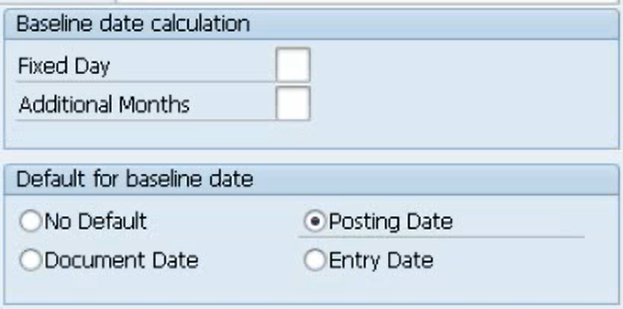
The baseline date calculated is transferred to the “baseline date” field of the item line posted.
The due date is calculated using one of the available optoins:
- The baseline date plus the max. number of days set in the 3 terms.
- Or the max. fixed day and its corresponding additional month.
3. Default payment method and block #
You can use a “Tems of Payment” to set a default payment block or payment method in the posted line item.
Payment block and method can be also set when posting or at BP master data in the company code segment.
4. Cash discount #
In the payment terms you can set up to two cash discount percentages, one for the first term and another for the second. The current date is compared with the the term valid date in order to decide which term applies.
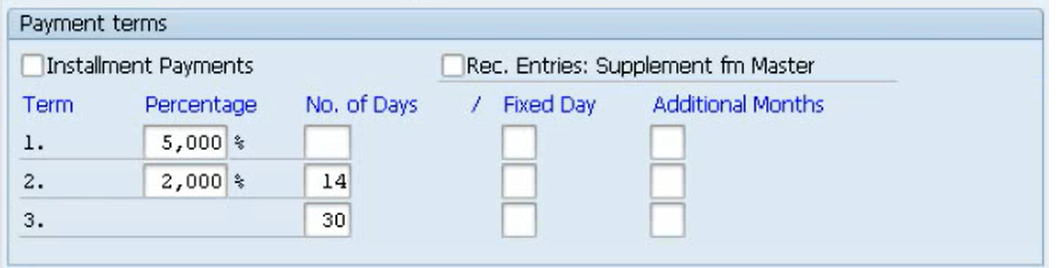
The valid date of a term is calculated with 2 optoins:
- If “No. of days” has value, sum it to the base line date previously calculated.
- If “fixed day” has a value, the valid date takes that day of the current month, and adds the number of months set in the “additional months” field.
When no value is set in both options of the first term, it means that the cash discount will apply only for an inmedate payment.
If the current date is <= than the valid date of the first term, then the first cash discount is used. If not but it’s <= than the second onw, the second cash discount applies. If the second valid date has expired, the third term don’t have any cash discount.
The calculated cash discount is proposed when posting the payment and it can be overwritten by the user.
5. Installment payments #
If you want to divide a payment into partial amounts with different due dates, you can use a payment term with the “Installment Payments” checkbox marked. Additionally, you must define the terms of these installment payments in a specific view (Terms of Payment for Holdback), where you set one row per partial payment with a percentage to calculate the partial amount and number of days for the due date.
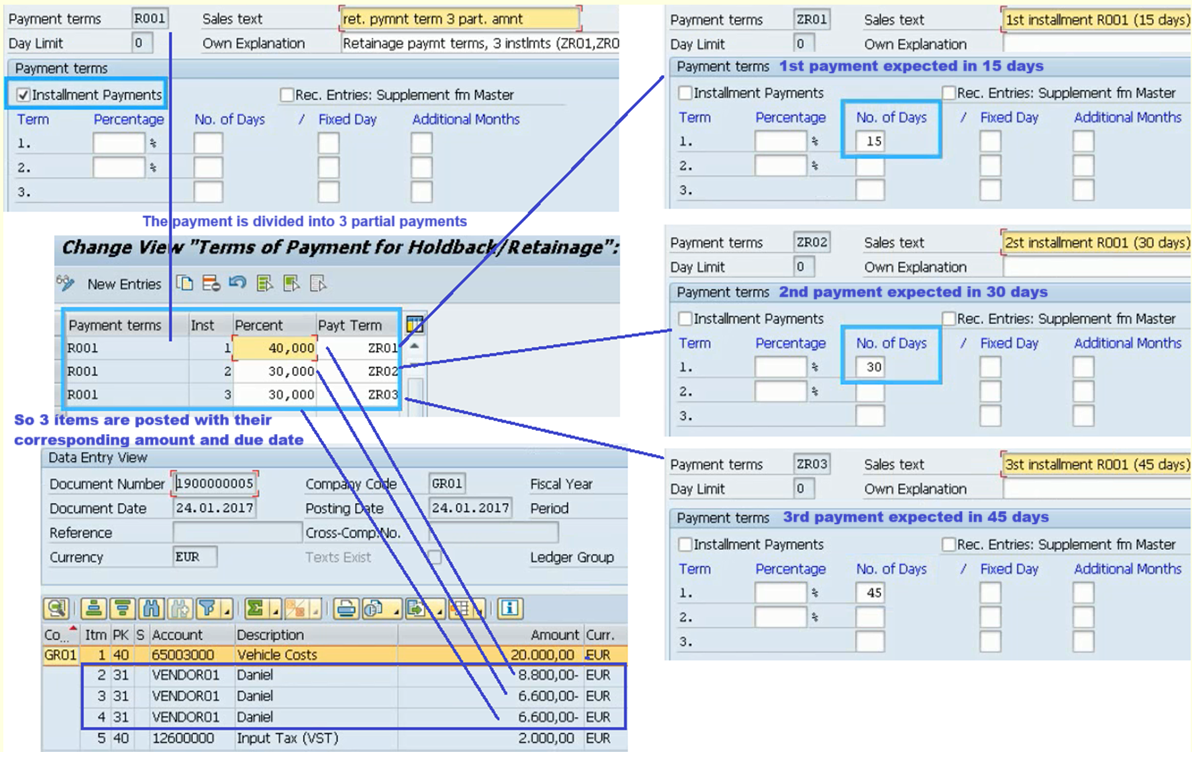
When you post an invoice using this option, the total amount is divided into different items, each one with its corresponding amount, terms of payment and due date.
6. Related transactions and apps #
| Transaction | Description |
|---|---|
| Terms of Payment | Spro: FI - Account receivable&payable - Business Transaction - Incoming/Outgoing Invoice - Terms of payment |
| Installment Payments | Spro: Same location as Terms of Payment |

 English