The acquisition is when the asset arrives at the company and an FI journal document is posted for the acquisition of this asset. Prior posting you create the asset master record.
The values of acquired assets are in the supplier invoices, and they need to be recorded in the asset accounting and the general ledger.
After the acquisition posting the asset master record is recorded, with the capitalization date, and the lifecycle status set to “capitalized”.
1. Non integrated acquisition #
There are 2 reasons to use this approach:
- The invoice arrives before the asset. (1º invoice, 2º asset)
- The asset has been delivered and should be used, but the invoice has not arrived. (1º asset, 2º invoice)
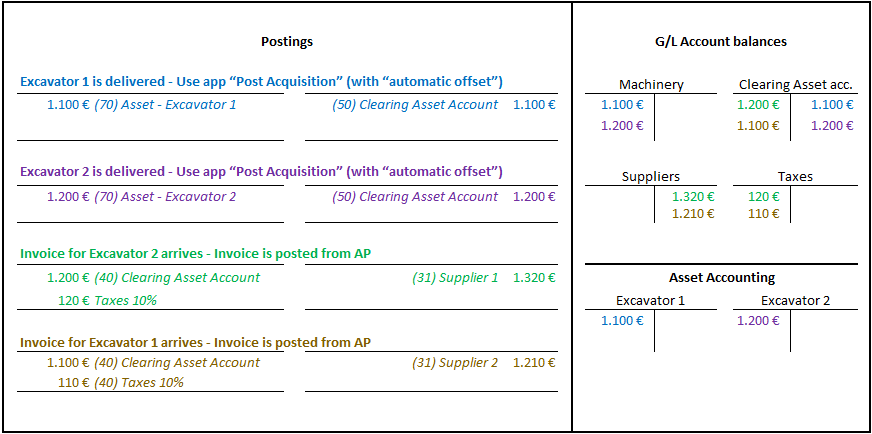
Non-integrated asset acquisitions are posted From FI-AA and from FI-AP in 2 separated steps.
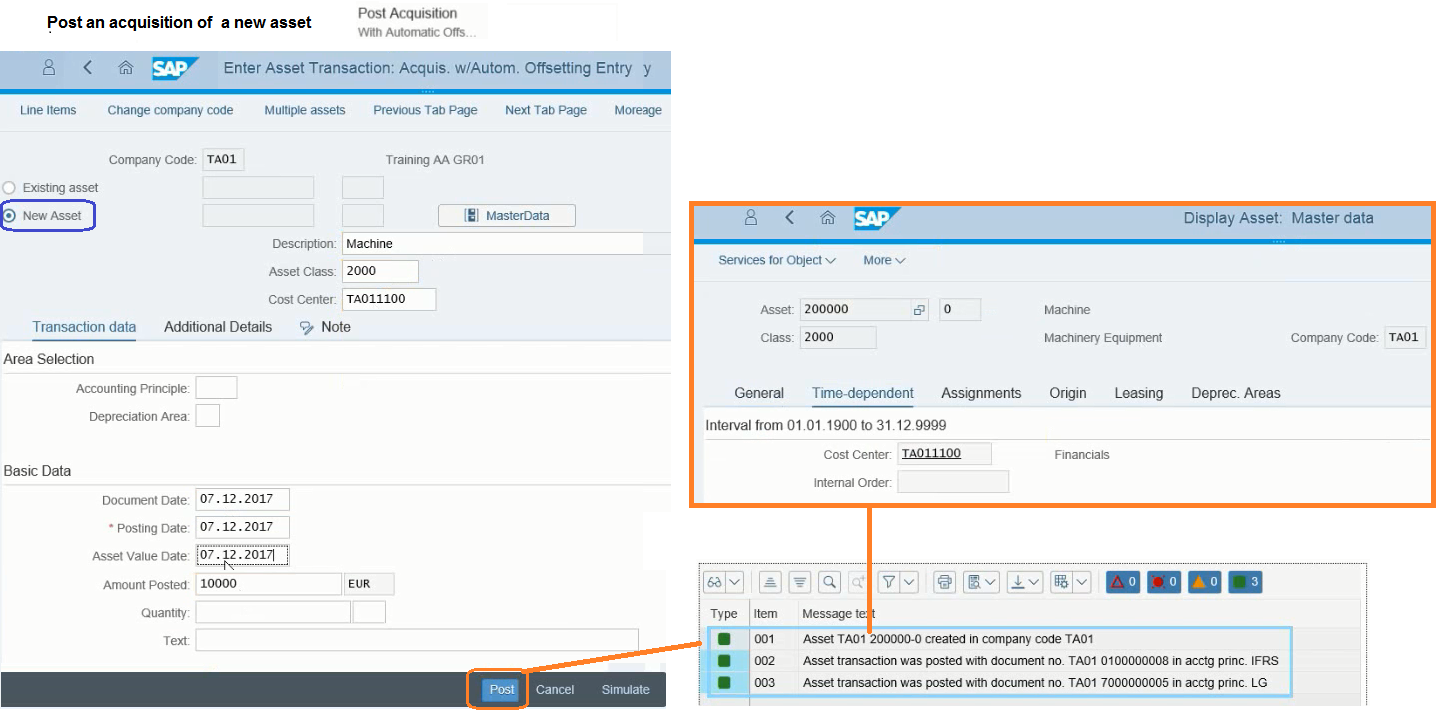
- Step 1 — Post Asset Acquisition
In this step use the Post acquisition app.
- Step 2 — Post the supplier invoice
In this step use the Create Supplier Invoice app (MIRO) without referencing any PO or any asset, and use the G/L Clearing Asset Account with the amount posted in step 1.
See the following example with 2 acquisitions:
1.1. Post acquisition app example #
2. Integrated acquisition (with MM or AP) #
With intetrated acquisition 2 postings are done in one user step:
- Operational part – Document Type KR – Main Ledger.
- Valuating part – Document Type AA – One posting per ledger.
To post Integrated Asset acquisition you have thee app/trans:
- Create Supplier Invoice app (using “asset items” tab).
- Manage supplier invoices app (using “asset items” tab).
- F-90 has been replaced.
See the following example:
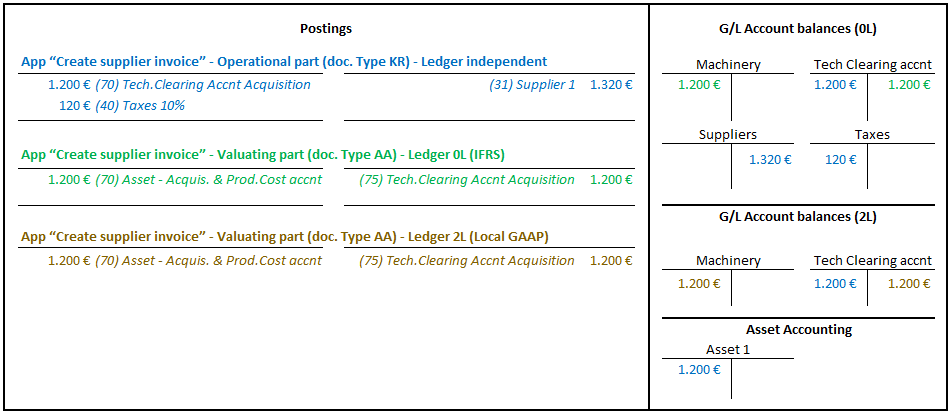
2.1. Practical Example. #
3. What’s the real difference vs. non-integrated? #
Differences are shown in the following tab:
| Non-Integrated | Integrated | |
| User steps | 2 separate transactions | 1 transaction |
| Clearing account | Regular G/L, manually posted | Technical clearing account, system-managed only |
| Who posts to clearing | The user, explicitly | The system, automatically |
| Clearing account balance | Must be manually zeroed by the second posting | Always zero — system guarantees it |
| Can you post to it manually? | Yes | No — the system blocks manual postings |
| Ledger-group specificity | N/A | AA document is ledger-group-specific per depreciation area |
4. Related transactions and apps #
- Post acquisition app
- Create supplier invoice app
- Manage supplier invoice app
- MIRO
- F-90 (outdated)

 English